How to invite a teammate to YakTunnel
Team-access endpoints only open for people in your YakTunnel account. Invite each developer so they can open team previews, start their own tunnels and replay captured requests.
Before you start
- An administrator role
- A free seat on your plan (Team includes 5 users)
Plays silently with captions; the narrated version is on its way.
Transcript
Give a colleague access to your team's preview links, their own tunnels, and the shared request history.
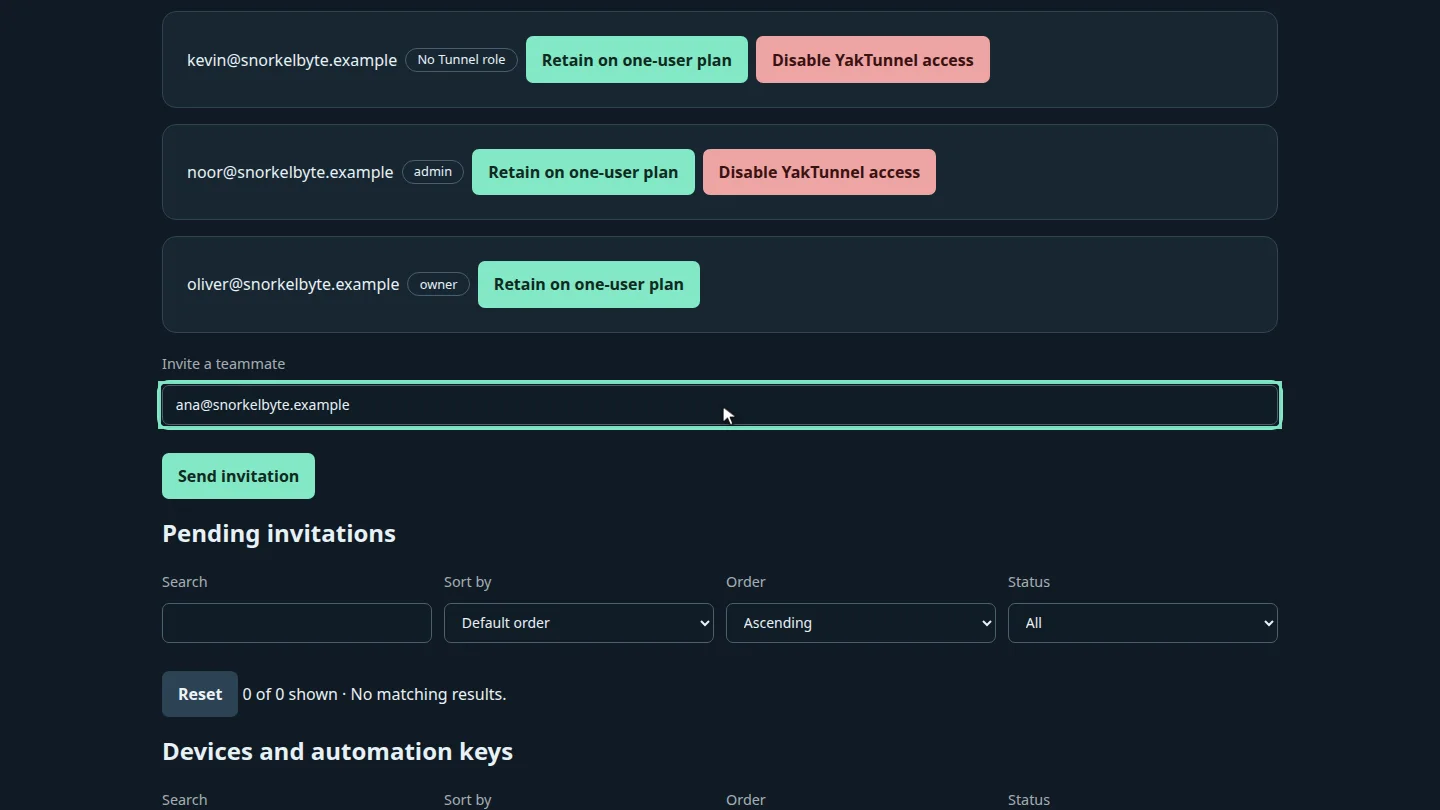
On the Team page, under Invite a teammate, enter your colleague's work email address.
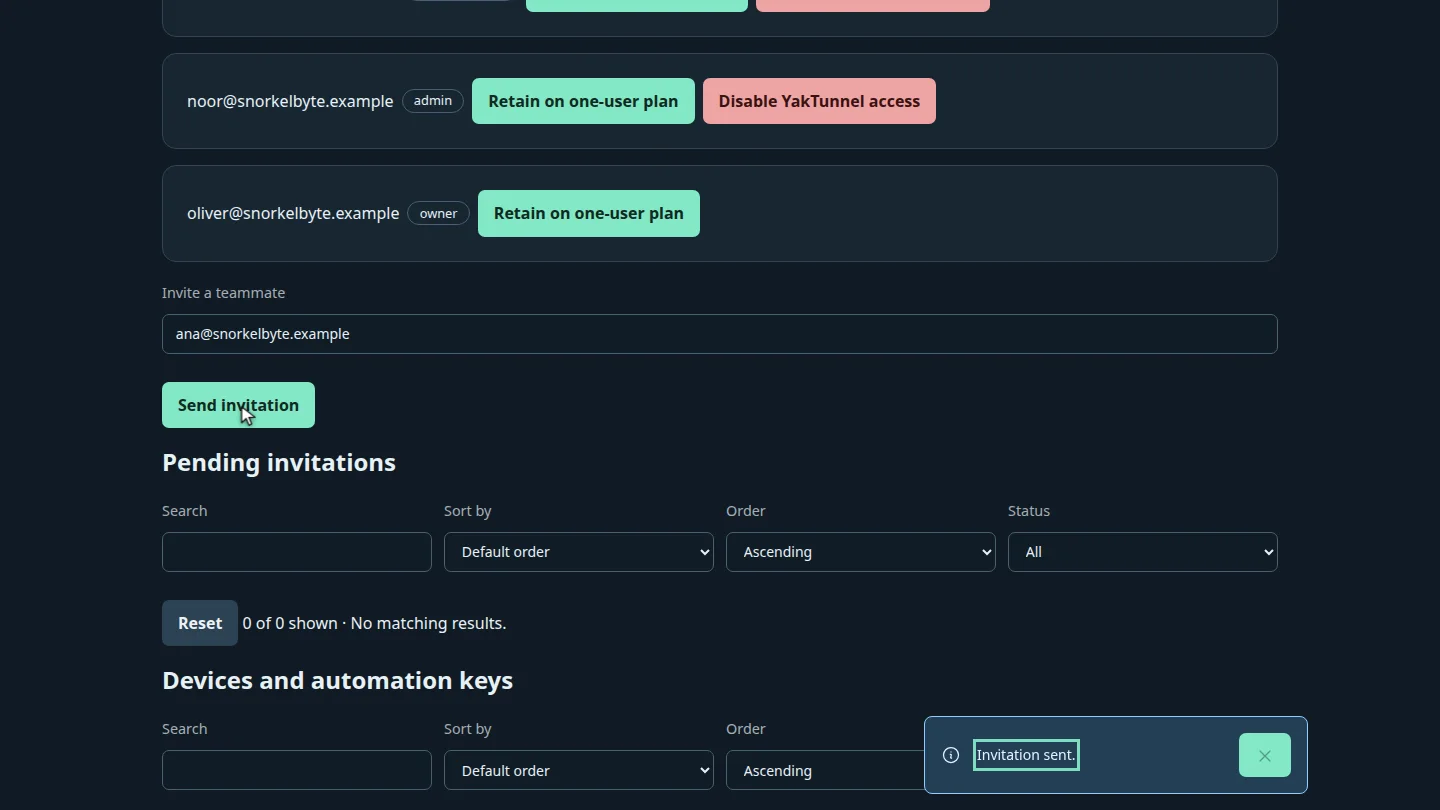
Select Send invitation. Someone new receives an email and waits under Pending invitations until they accept.
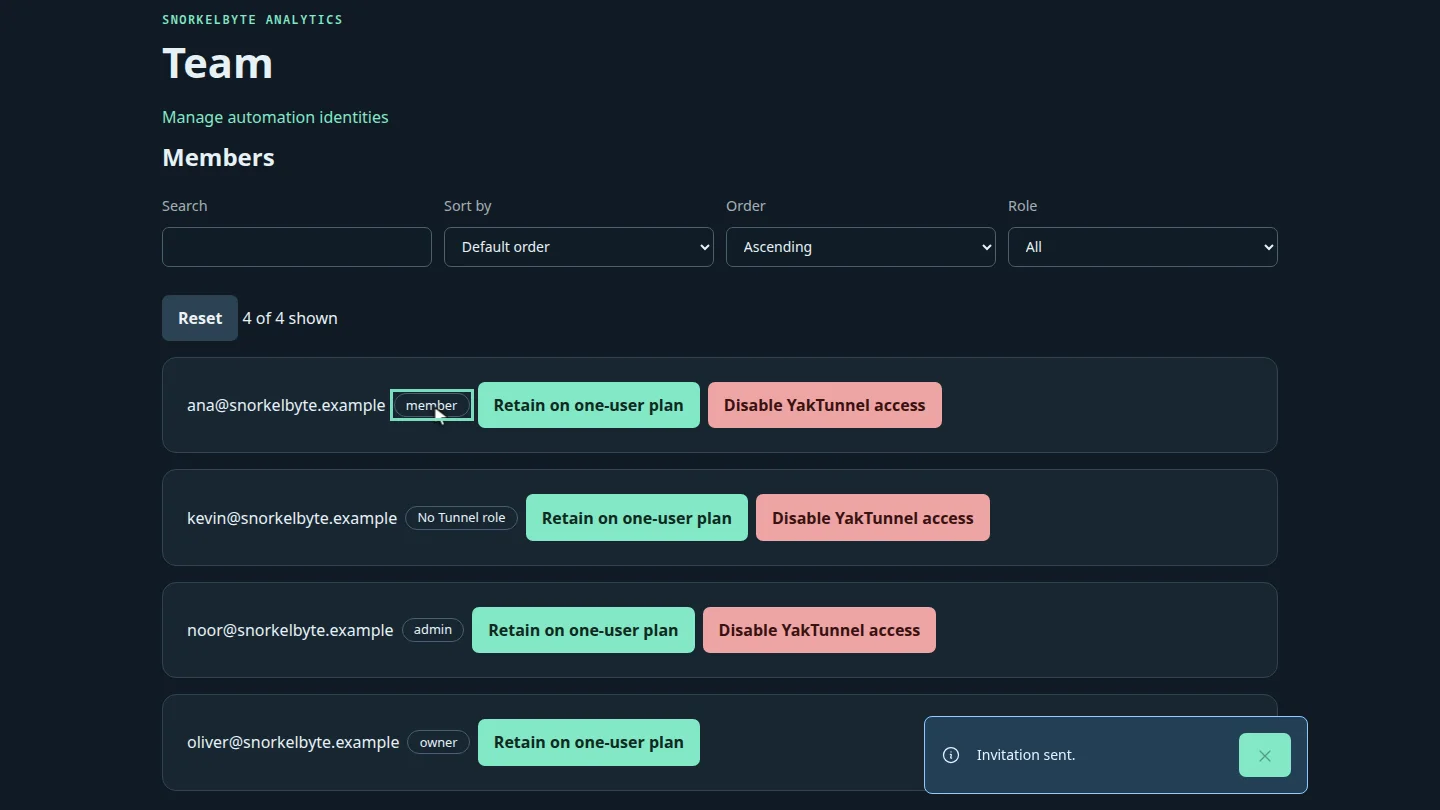
Ana already uses other Yak products in this account, so she joins straight away and appears under Members with the member role.
Steps
Enter their email ▶ 0:08
In Team, enter the address in Invite a teammate.
Send the invitation ▶ 0:14
Select Send invitation. New people get an email and appear under Pending invitations.
Check Members ▶ 0:23
Under Members, the teammate shows their role. People already in your Yak account get it immediately.
Next steps
Updated 2026-10-26
add user team member invite developer seats