How to turn on request history for an endpoint in YakTunnel
Your laptop's local inspector only sees requests while the CLI runs on that laptop. Request history uploads a redacted copy of each request, so teammates can find and replay a webhook from the browser for seven days.
Before you start
- An administrator role
- An account with YakTunnel beta access
- An HTTP endpoint
Plays silently with captions; the narrated version is on its way.
Transcript
Keep a redacted, searchable history of the requests an endpoint receives, so your whole team can debug webhooks from the browser.
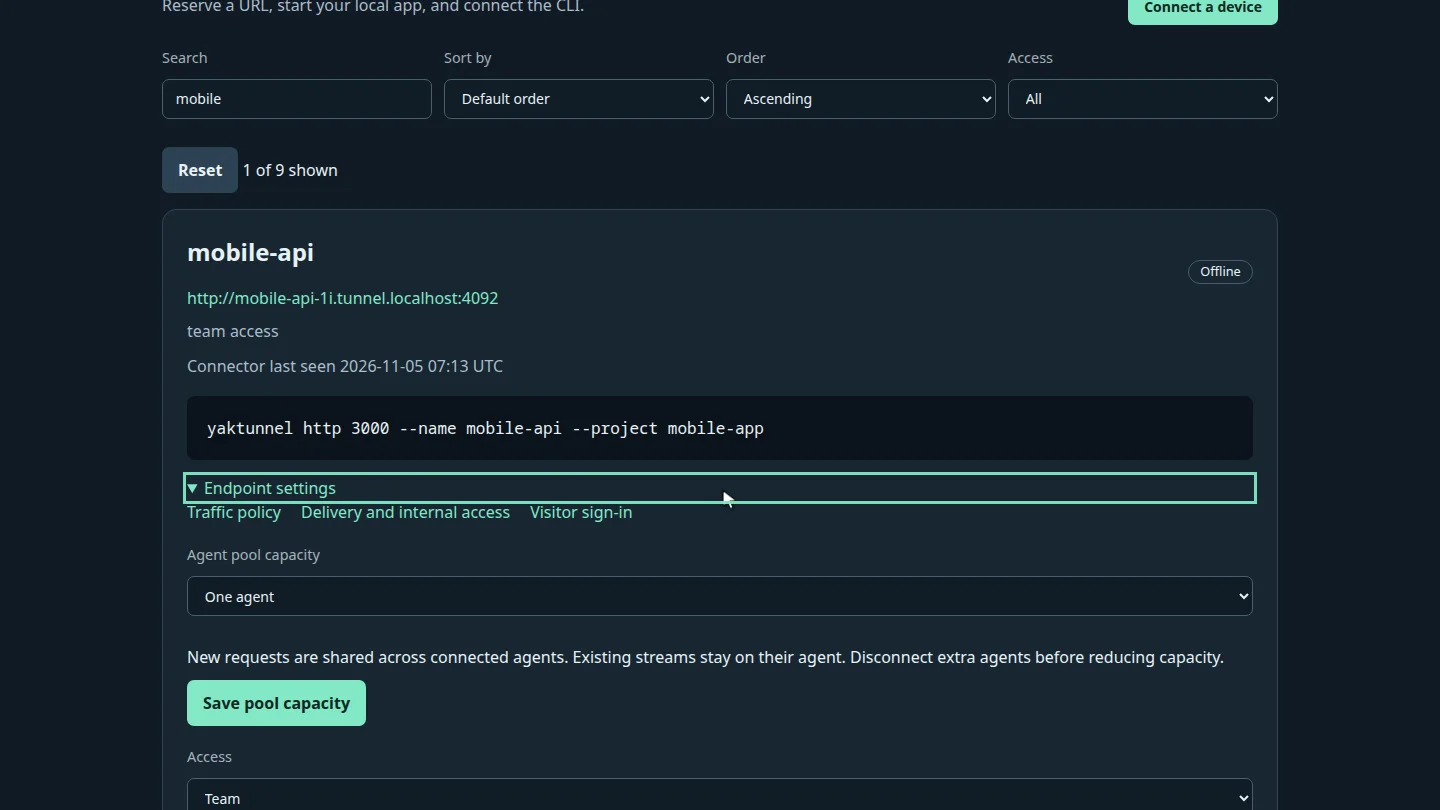
On Projects, search for the endpoint that receives the requests you want to keep, then open its Endpoint settings.
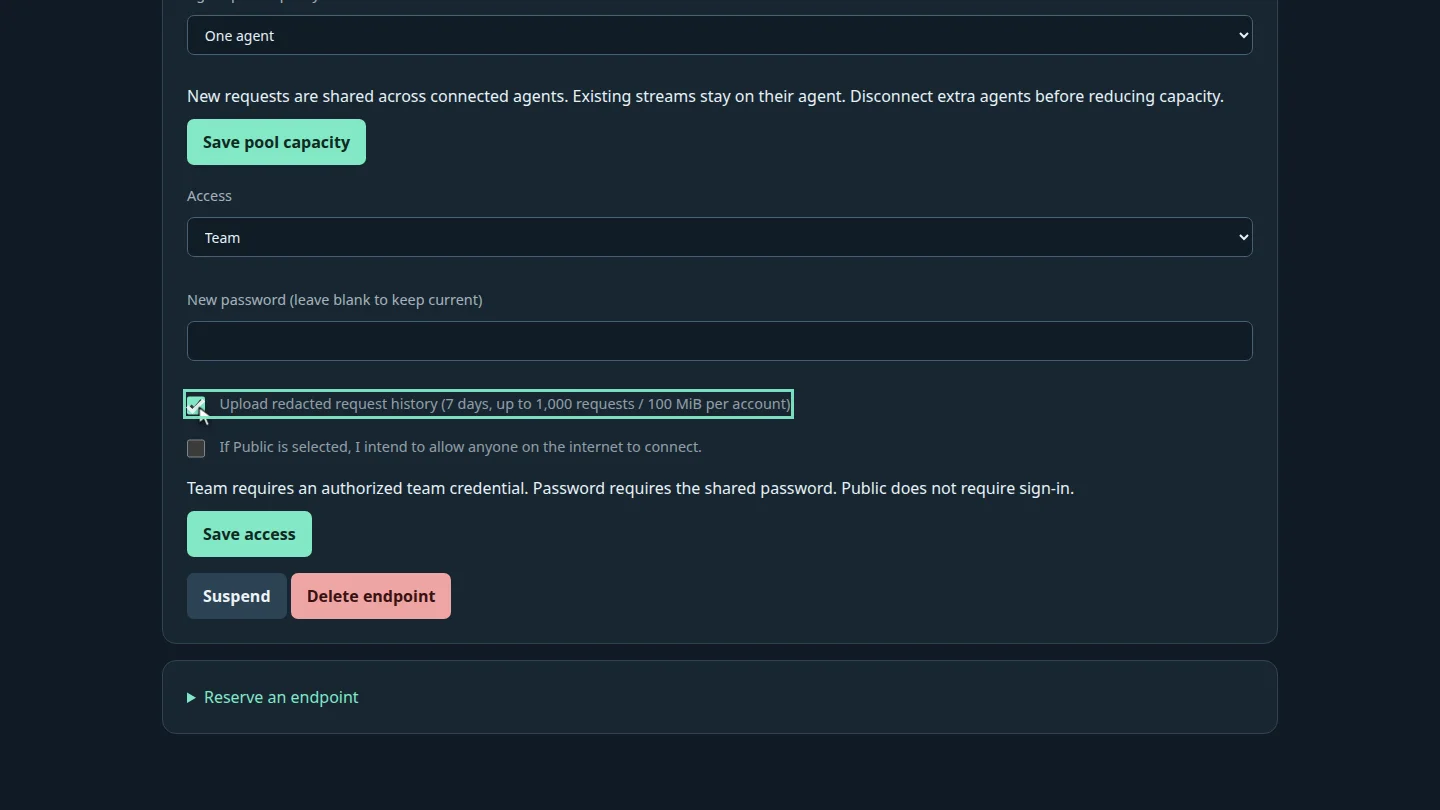
Tick Upload redacted request history. Passwords, tokens and cookies are replaced with redacted before anything leaves your machine.
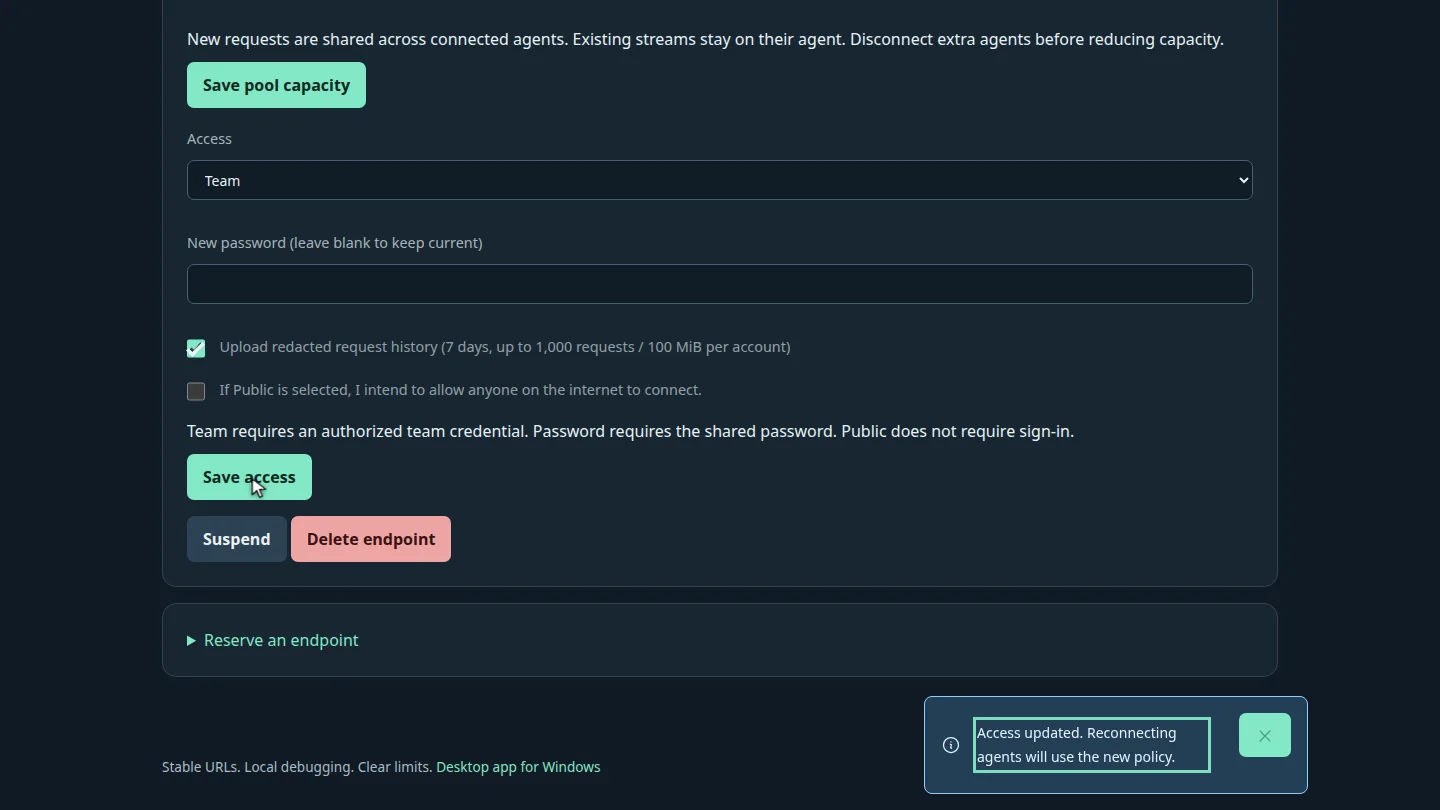
Select Save access. From now on, requests through this endpoint appear on the History page.
Steps
Open the endpoint's settings ▶ 0:10
In Search, enter the endpoint's name, then select Endpoint settings on its card.
Turn on history ▶ 0:19
Select Upload redacted request history (7 days, up to 1,000 requests / 100 MiB per account).
Save it ▶ 0:28
Select Save access. New requests appear on History.
Next steps
Updated 2026-10-26
webhook history cloud capture request log redacted capture